
Recipe: assign a task by procedure code
Some procedures always need a human follow-up step. This recipe creates that task automatically based on the procedure code, so it never depends on someone remembering.
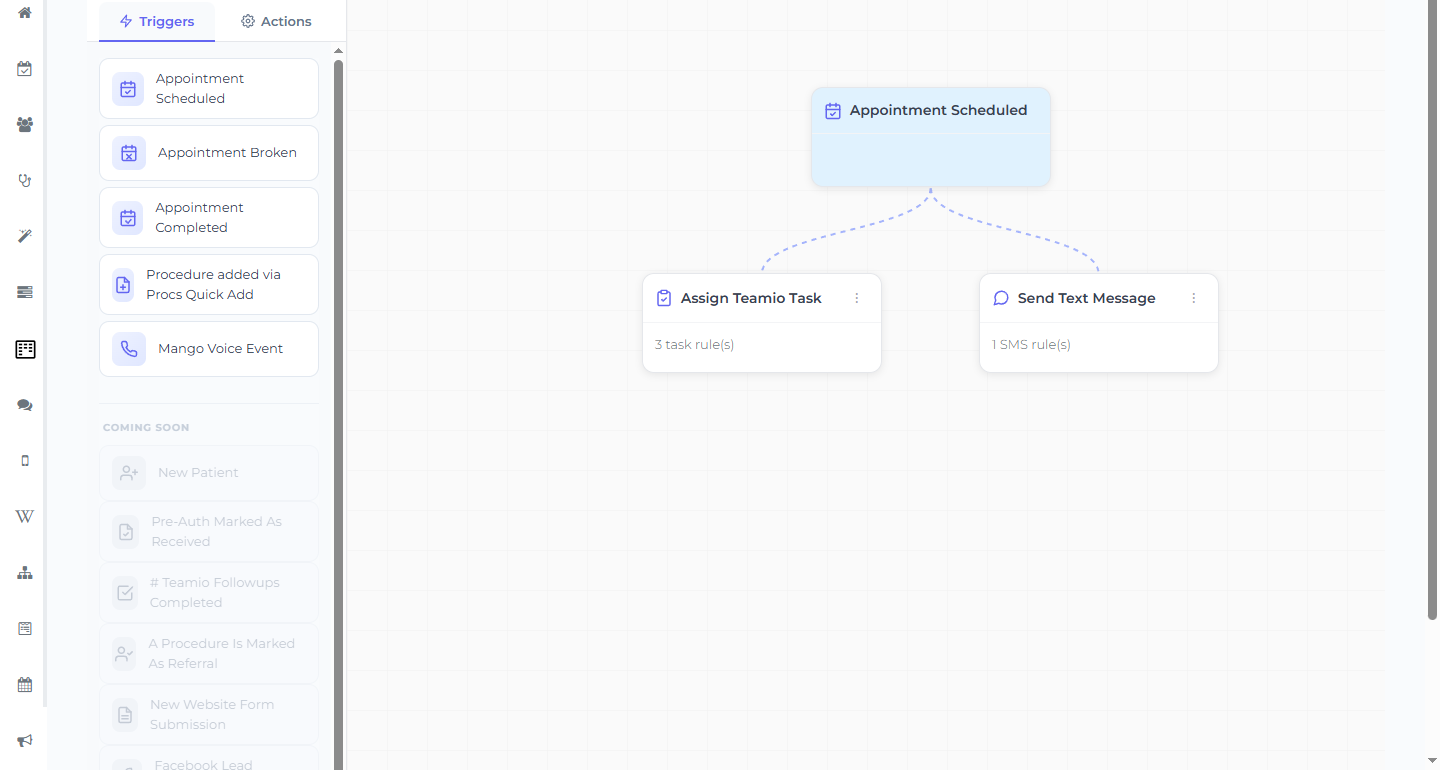
The workflow
Section titled “The workflow”- Trigger: Appointment Completed (or Appointment Scheduled, if the task should happen up front)
- Action: Assign Teamio Task
- Proc Code: the code(s) this rule applies to
- Assign To: the person or team who owns that step
- Description: the task text (called Task Description in the table layout; patient name, date, and procedure are added automatically)
- Due Date: a trigger-aware option — for Appointment Completed the choices are the after variants (Immediately, 1 Day After, 2 Days After, 1 Week After)
One action, many rules
Section titled “One action, many rules”A single Assign Teamio Task action holds many rules — select Add Rule (table) or Add Task Rule (card) for each procedure pattern. That’s exactly how “one task per procedure” is implemented, and it’s why you add rules to the existing workflow for the trigger instead of building new workflows.
Examples
Section titled “Examples”- Crown prep completed (D2740) → task to the front desk: “Schedule crown seat.”
- Implant placement scheduled (D6010) → task to the treatment coordinator: “Verify insurance and pre-auth before the visit.”
- SRP completed (D4341/D4342) → task to hygiene: “Schedule perio re-eval in 4–6 weeks.”
Why procedure codes
Section titled “Why procedure codes”Tying the task to the code (not a person’s memory) means the step happens every time that treatment does, for every provider — which is exactly the kind of consistency that stops things slipping.