
Exporting a chat
Need a record — for HR, an audit, or an attorney request? Team Chat rooms can be exported to PDF or plain text and emailed to you.
When an employee leaves
Section titled “When an employee leaves”This is the most common reason offices export chat: someone departs and you need to keep what they discussed before their account is removed.
Use Export All Team Chats (the page-header ⋮ menu), not the per-room export. Here’s why it matters:
- A departed employee is often the only other member of a private room, so once their account is gone a current employee may have no room they can open to reach those messages. Export All Team Chats runs with Admin authority and captures every room on the site — including rooms you personally aren’t a member of — so nothing is stranded.
- The export pulls all messages in each room, including ones a user soft-deleted (shown as a message deleted placeholder). Senders who have since left appear as Former employee so the transcript is still traceable.
The steps are the same as Export every room below.
Export one room
Section titled “Export one room”- Open the room and select the ⋮ menu on the room header.
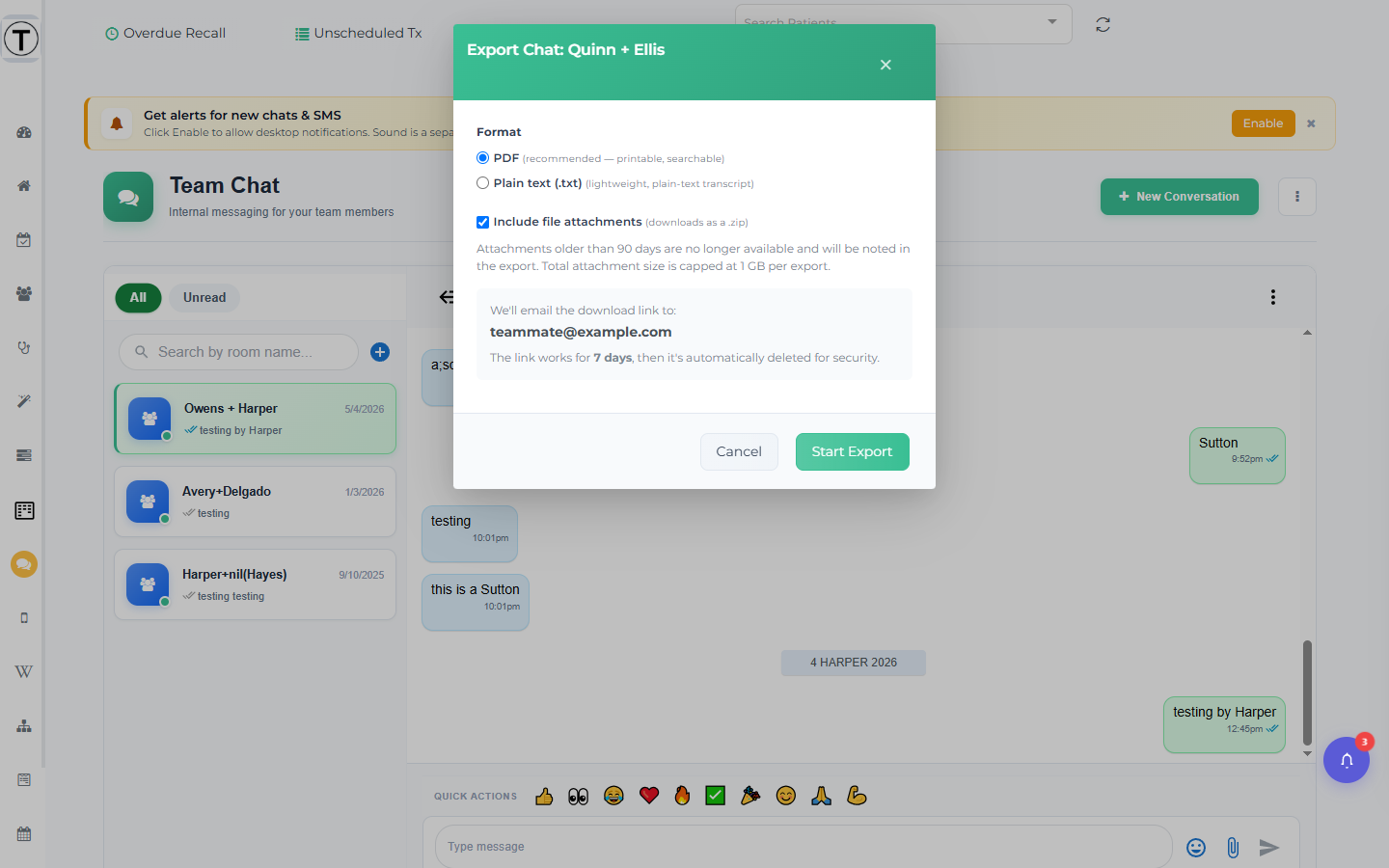
- Choose Export Chat. The Export Chat: <room name> modal opens.
- Pick a format: PDF (recommended — printable, searchable) or Plain text (.txt).
- Optionally tick Include file attachments (downloads as a .zip).
- Select Start Export.
Export every room
Section titled “Export every room”To capture the whole site at once:
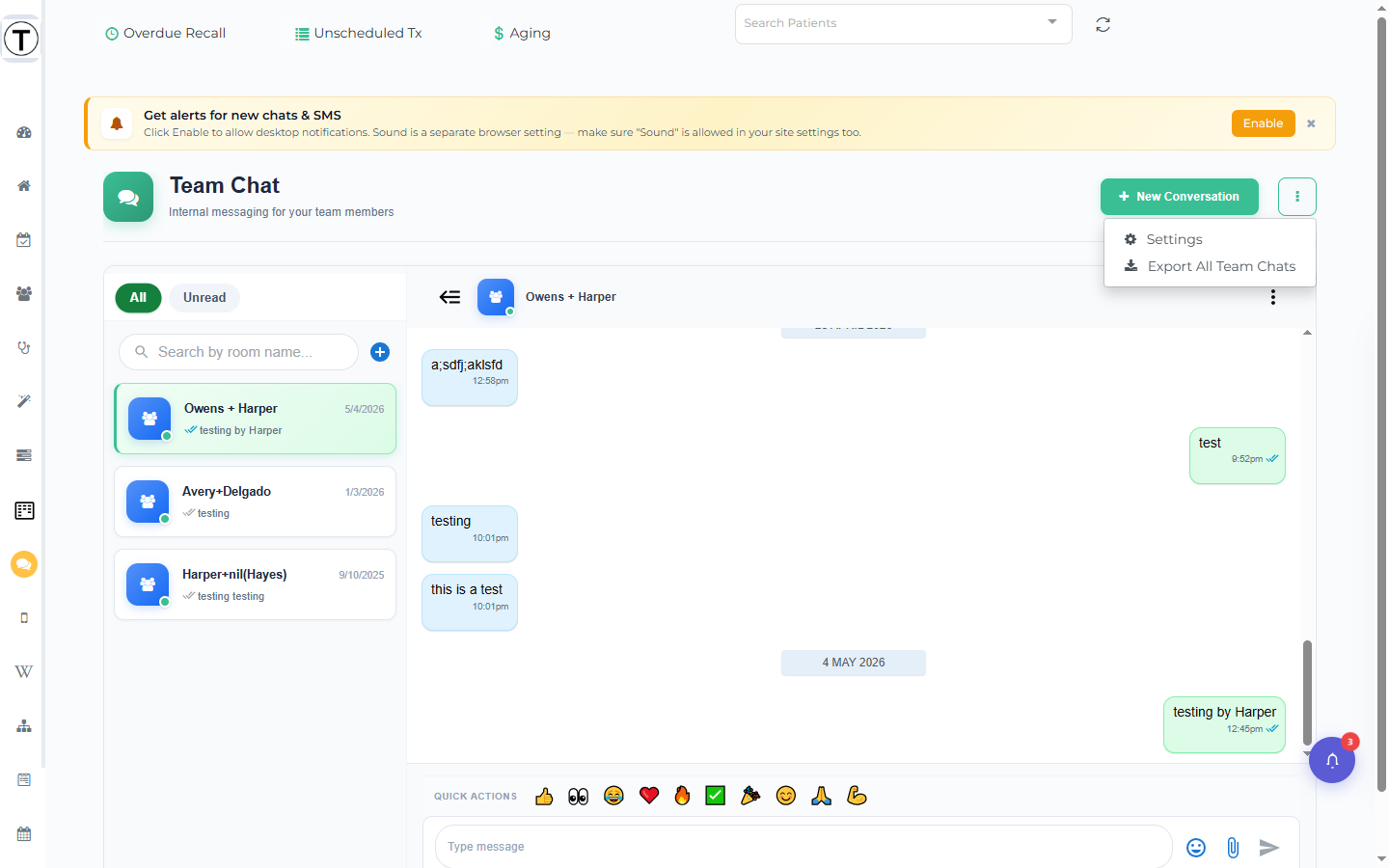
- Select the ⋮ menu at the top right of the Team Chat page header.
- Choose Export All Team Chats. The modal warns Large sites may take a few minutes.
- Pick the format and attachment option, then Start Export.
What happens after you start
Section titled “What happens after you start”- A confirmation toast appears: Export started — usually within 5 minutes (longer for All Team Chats or large attachment bundles).
- A status pill shows at the top of the Chat page: Export running… we’ll email you when it’s done. Dismiss it with its x, or it clears itself after about 15 minutes.
- The download link is emailed to your account email (shown in the modal). The link works for 7 days, then is automatically deleted for security.
Attachment caveats
Section titled “Attachment caveats”- Including attachments delivers them as a .zip alongside the export.
- Attachments older than 90 days are no longer available (that’s the retention window) and are noted as missing in the export.
- Total attachment size is capped at 1 GB per export.
- Exports capture the conversation as of now — for an ongoing matter, note the date and re-export later if needed.
- Treat exported files with the same care as any practice record; they may contain patient details.