
Treatment Presenter overview
Treatment Presenter (Tx Presenter) turns the treatment plans you already build in Open Dental into a clean, patient-friendly presentation — plain-language explanations, insurance-aware pricing, and clear payment options. Present it chairside on a tablet and have the patient sign and pay right there, or send it to their phone so they (and a spouse who wasn’t in the room) can read it, ask questions, sign, and pay at home.
What’s in this section
Section titled “What’s in this section”This section is about closing more treatment by making the plan easy to understand and easy to say yes to.
What the patient gets
Section titled “What the patient gets”- A clean plan view with plain-language reasons for each procedure — no codes or jargon.
- Pricing that reflects what they’ll actually owe after insurance, with a clear bottom line.
- Payment options they can choose from, and the ability to sign and pay from their own phone.
- A place to ask questions and get answers (yours, or AI-drafted replies you approve).
What you do
Section titled “What you do”- Build the plan from the patient’s Open Dental treatment plan, tidy it up, and choose how it looks.
- Present it chairside in a full-screen Present Mode, or send it home.
- Collect a deposit or payment once the plan is signed.
- Set your house style and options once in Settings so every plan starts the way you like it.
How it fits together
Section titled “How it fits together”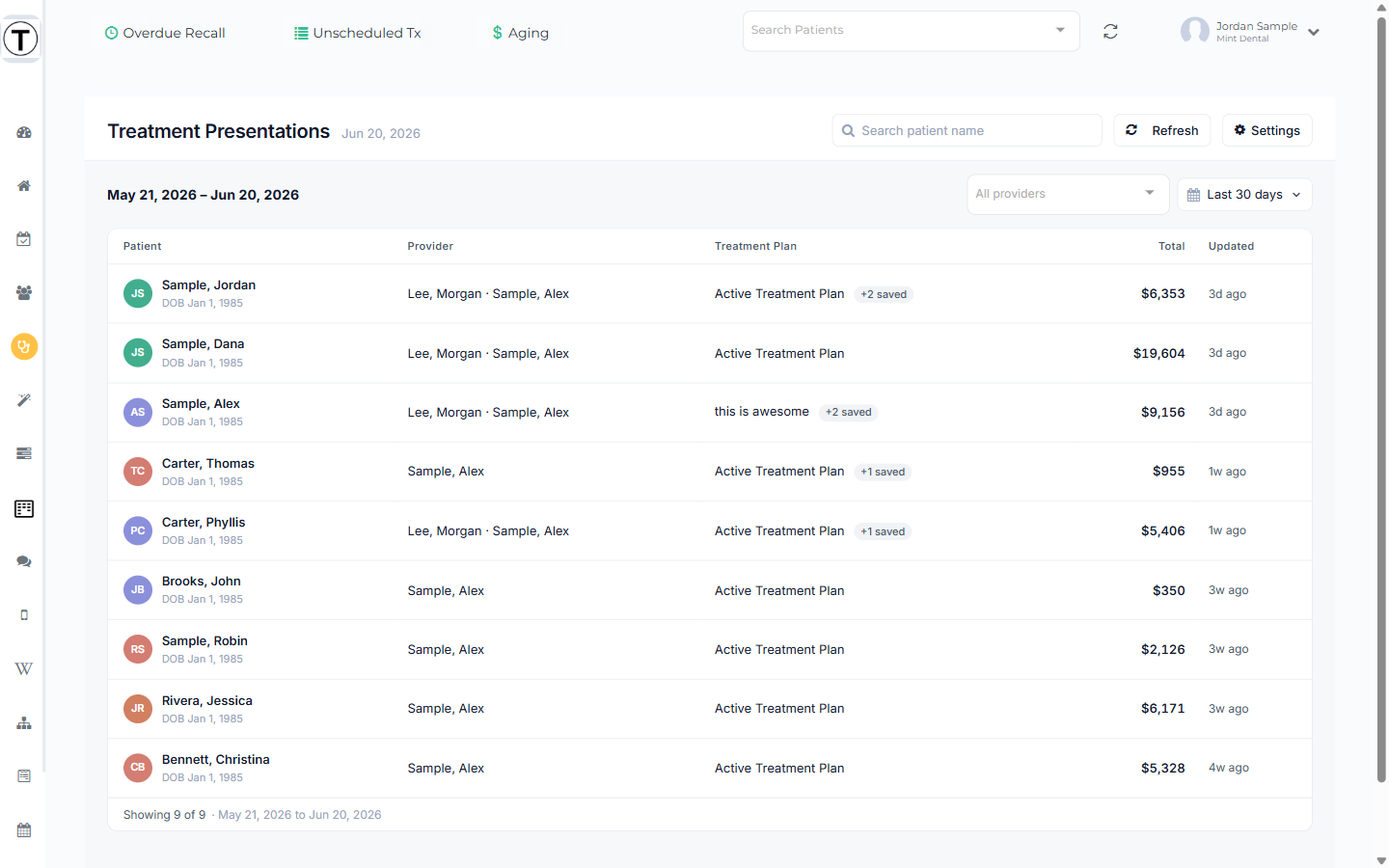
The Treatment Presentations dashboard (Sidebar → Tx Presenter) is your home base — it lists patients who have treatment-planned procedures in Open Dental, with the total you can collect for each. From there you open a patient, build the plan, then either present it chairside or send it home. The patient reads it, asks questions, chooses an option, signs, and pays — and the signed plan files back into Open Dental imaging automatically.
You can also jump in from a single patient: Patient profile → Tx Plans opens a picker of that patient’s plans with Present, Present on Tablet, and Send right there.
In this section
Section titled “In this section”- Building a treatment plan — open a plan, tidy it up, and attach alternatives
- Plan views & pricing display — the two patient views, which prices show, and the summary
- Presenting a plan chairside — Present Mode, the TC controls, privacy screen, and signing in the office
- Present on a tablet — hand a plan off to a tablet with a QR code, or open straight into Present Mode
- Attaching Photos to a Treatment Plan — show patients the intra-oral photos you took, tagged to the teeth they cover
- Sending a plan to the patient — the send link, and bundling consent forms
- Answering patient questions — the comments thread, the “NEW” badge, and AI replies
- Choosing an option & paying — what the patient does: pick an option, sign, and pay
- Collecting a deposit or payment — taking money chairside once the plan is signed
- Setting up financing options — present financing as a menu of terms with monthly estimates
- Treatment Presenter settings — your house style, payment options, delivery, and consent forms