
Online scheduling & AI overview
What’s in this section
Section titled “What’s in this section”This section is about filling your schedule with less front-desk effort — letting patients book themselves online, and keeping the appointments you have through automated reminders and recall.
What patients get
Section titled “What patients get”- A public booking page where they pick an appointment type, provider, and time that suits them, confirm by phone, and land directly on your Open Dental schedule — no phone tag.
- Automated text and email reminders before each visit, with one-tap confirmation.
- A patient-facing website chatbot that answers their questions from your own content and walks them into booking.
What you configure
Section titled “What you configure”- Online booking — the booking page itself: your scheduling window, which appointment types patients may book, where each lands, and a dashboard showing where every booking came from. → Set it up · Appointment types · What patients see
- Booking links — trackable short links (with UTM source/medium/campaign/content tracking) for your website, Google profile, campaigns, and texts, so you can see which channel drives bookings. → Booking links
- Appointment reminders — automated text/email confirmations and reminders, with a day-view board of who’s confirmed and a full activity log per appointment. → Appointment reminders
- Appointment booked confirmation — a one-time text/email the moment a team member schedules an appointment, so the patient knows it went through. → Appointment booked confirmation
- Automated recall reminders — text patients automatically when they’re due for a recall cleaning. → Automated recall reminders
- The website chatbot — the patient-facing AI assistant (and voice receptionist). → Website chatbot
- AI outbound calls — the AI works your recall and unscheduled-treatment lists by phone (in limited rollout). → AI outbound calls
How they fit together
Section titled “How they fit together”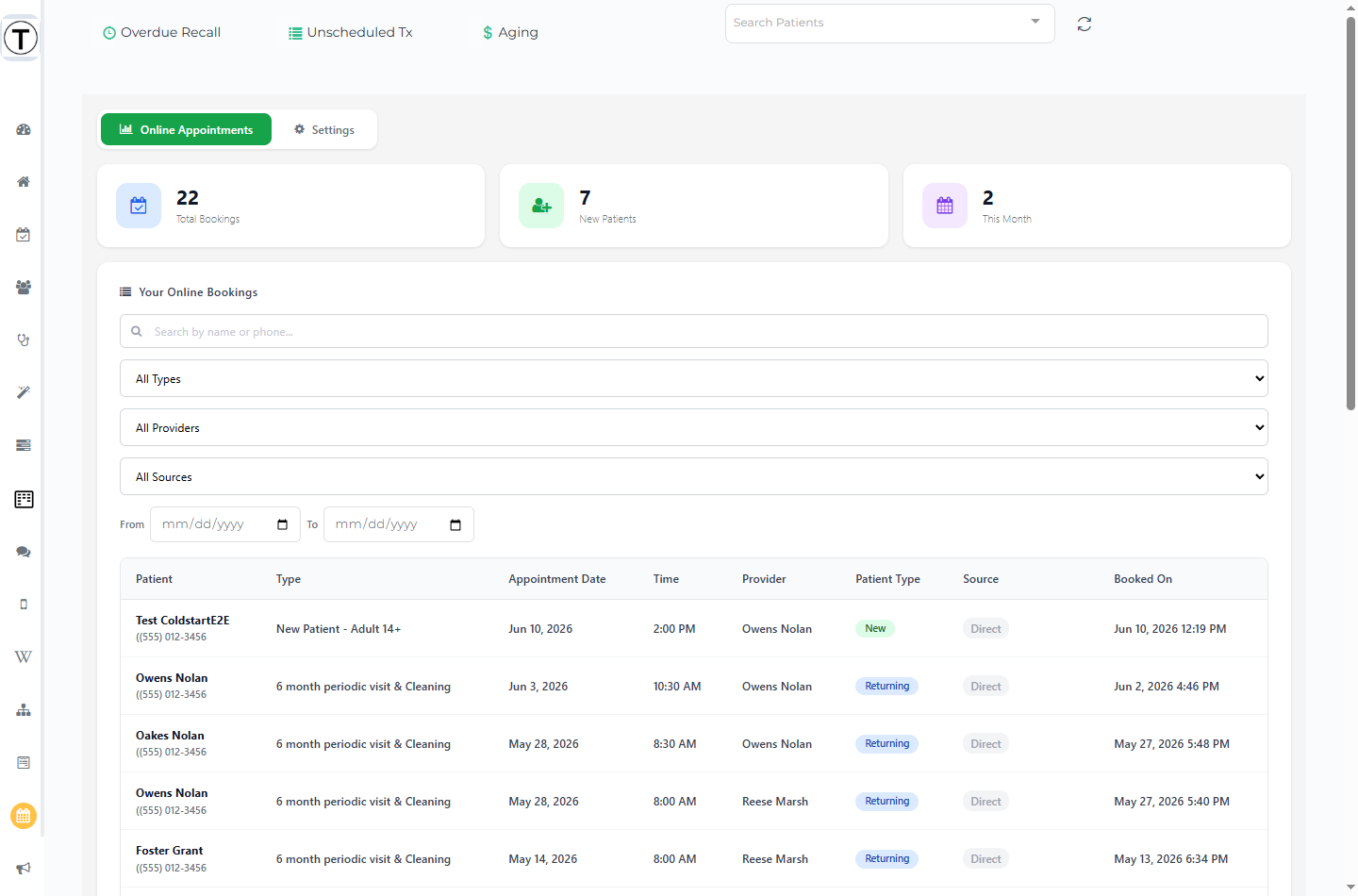
The booking page is the destination; everything else feeds it. Links put it in front of patients, the chatbot walks them into it, reminders protect the appointments it creates — and the Online Appointments dashboard shows you where every booking came from.
Each booking carries the UTM Source/Medium it came from. The dashboard shows those as badges (hover for the full Source / Medium / Campaign / Content detail); bookings that arrived through an untagged link show a gray Direct badge. Every booking appears the moment the patient finishes phone verification.
In this section
Section titled “In this section”- Setting up online booking — the General settings, dashboard, and going live
- Appointment types — what patients can book and where it lands
- Booking links and source tracking — trackable UTM links
- Online booking for multi-location practices — one link or one per location
- What patients see: the booking page — the patient’s path, including SMS verification
- Appointment reminders — confirmations, the day board, and per-appointment activity
- Appointment booked confirmation — a one-time text/email when an appointment is scheduled
- Automated recall reminders — texting overdue patients automatically
- The website chatbot & AI receptionist — the patient-facing AI
- AI outbound calls — working recall by phone