
Conversations & texting overview
Teamio has two separate messaging tools, and knowing which is which keeps a patient text from ever landing in a staff thread (or the reverse):
- Team Chat is your practice’s internal staff chat — private rooms where the team coordinates, asks quick questions, and discusses patients freely. Nothing here ever reaches a patient’s phone. Use it like Slack or Teams for the front desk and clinical staff.
- Patient Conversations (also called SMS Conversations) is real two-way texting with patients from your practice’s own phone number — appointment confirmations, “running late?”, balance reminders, a quick photo of an insurance card. Use it whenever a patient is on the other end.
When to use which — ask yourself is a patient reading this? Patient → Patient Conversations. Teammate → Team Chat. That one question covers nearly every case.
Patient Conversations is a shared inbox. Texts are organized by the site, not by who sent them, so every teammate sees the same threads and any teammate can pick up a conversation mid-stream — there’s no “your messages vs. mine.” Automated texts (appointment reminders, recall, workflow and campaign messages) land in these same threads from the same number, so the whole history of a patient lives in one place.
You reach both tools from the icon rail down the far left of the screen — it shows icons only, with the label appearing as a tooltip when you hover. Team Chat is the speech-bubble icon (tooltip Chat); Patient Conversations is the phone icon (tooltip SMS Conversations). When either tool has unread messages, its icon shows a small green dot, and the browser tab title flips to 👀 Teamio - New Chat Message! so you notice even when Teamio is in a background tab.
Where patient texts come from
Section titled “Where patient texts come from”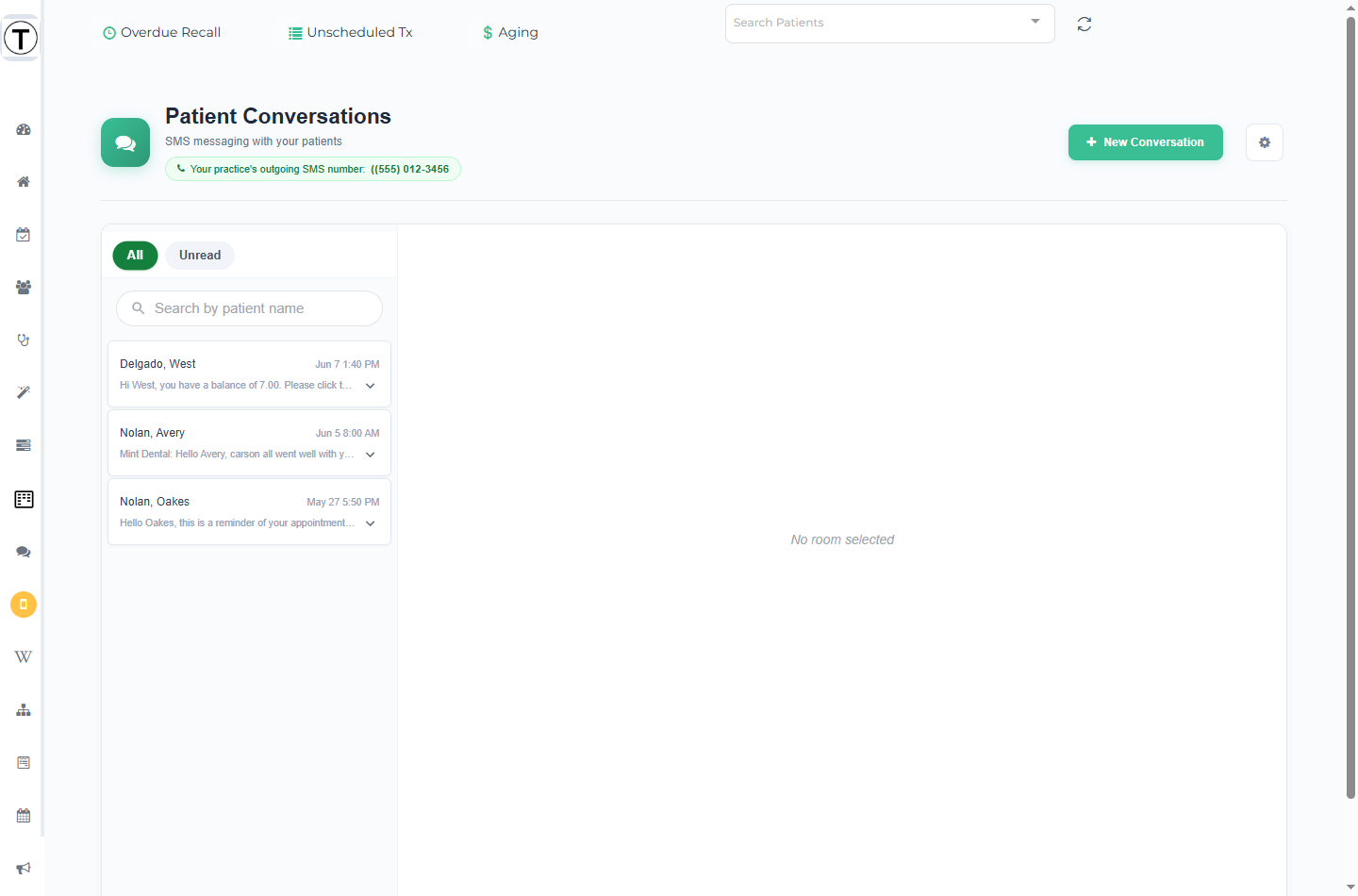
Patient replies all land in this same inbox no matter what triggered them — workflow messages, campaign texts, texts from an outreach list, or form links. The header carries a pill reading {Your practice}‘s outgoing SMS number: (xxx) xxx-xxxx so you can see exactly which number patients are replying to.
When SMS Conversations isn’t there
Section titled “When SMS Conversations isn’t there”SMS Conversations only shows up when your practice has a registered texting number configured. Without one, the phone icon doesn’t appear in the rail — even for Admins — and opening the page directly shows You do not have this feature enabled yet. Please contact teamio support. If texting should be live and isn’t, contact Teamio support.
Common jobs
Section titled “Common jobs”- Text a patient (and start new conversations)
- Understand opt-outs — when a patient texts STOP
- Message patients on WhatsApp — same inbox, same number; turn it on from My Account
- Reply on WhatsApp vs SMS
- Use message variables and Quick Actions
- Handle photos patients text in — and file them to Open Dental
- Set up message notifications
- Export a chat