
Recipe: automated review requests
The best moment to ask for a review is right after a good visit. This recipe sends every checked-out patient a friendly review link automatically — no one has to remember.
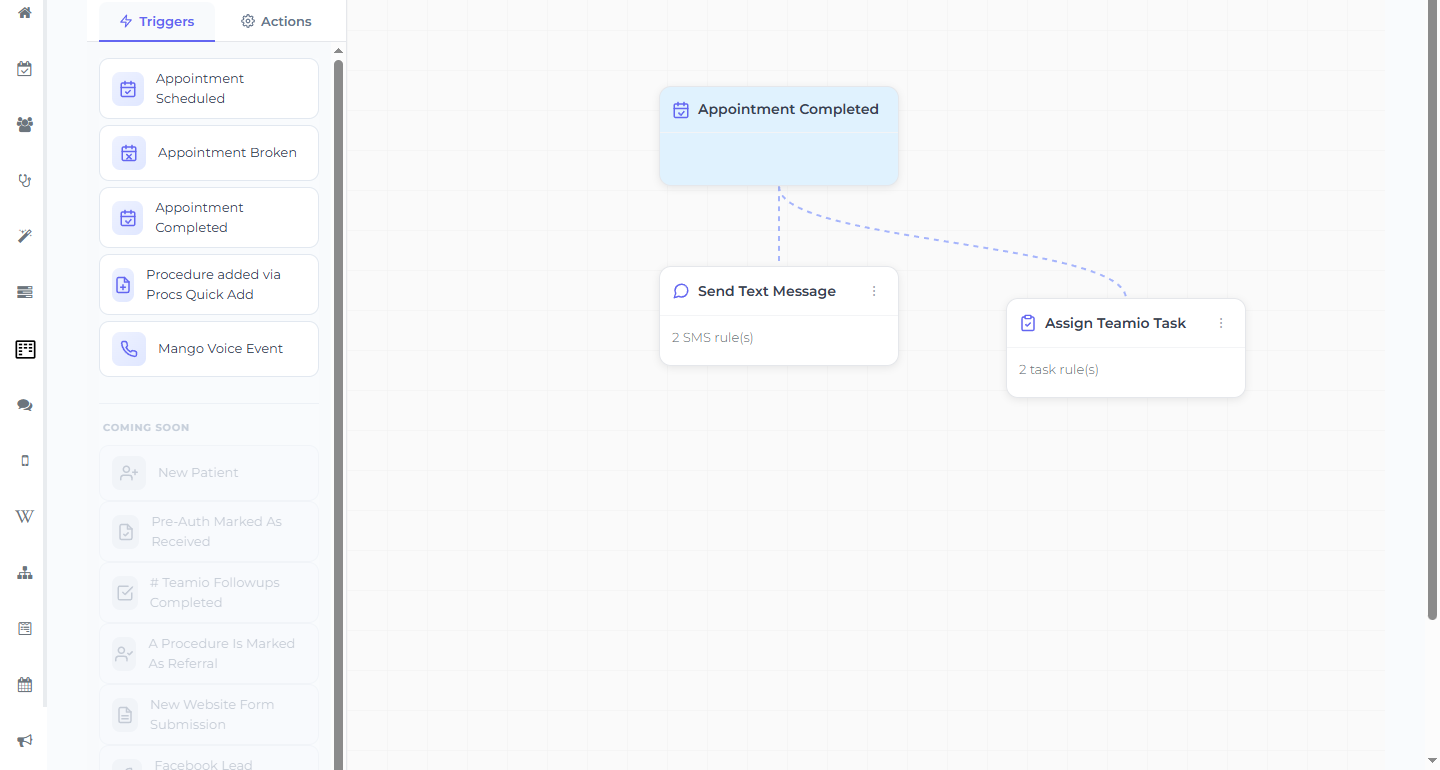
The workflow
Section titled “The workflow”- Trigger: Appointment Completed
- Action: Send Text Message (or Send Email)
- Send When: Immediately or 1 Day After. (For Appointment Completed the only choices are Immediately, 1 Day After, 2 Days After, and 1 Week After — there’s no free-form delay. 1 Day After keeps it from arriving while the patient is still in the chair.)
- Template: a Wiki SMS/email template that contains your practice’s Google review link as a normal link.
Tip — where the link comes from. Put your review link in a Wiki template once (paste it as an external link), then reuse that template here. Update it in one place and every future request uses the new link.
Example message to put in the template:
Thanks for visiting [Practice Name]! It was great seeing you. If you have a minute, we’d love a quick review: [your review link]
If your Wiki templates support personalization fields, you can open with the patient’s first name — check your existing templates for the exact field your site uses before relying on it. (The only placeholders the workflow UI surfaces directly are the Mango Voice call fields.)
Make it tasteful
Section titled “Make it tasteful”- Don’t over-ask. One request per visit, and consider only sending after certain appointment types.
- Watch the replies. Patient responses land in SMS Conversations — a patient who replies with a concern is a chance to fix it before it becomes a public review.