
Reading campaign statistics
Campaign metrics tell you whether your message reached patients and moved them to act. This article explains the metrics and where to read them.
Where to read results
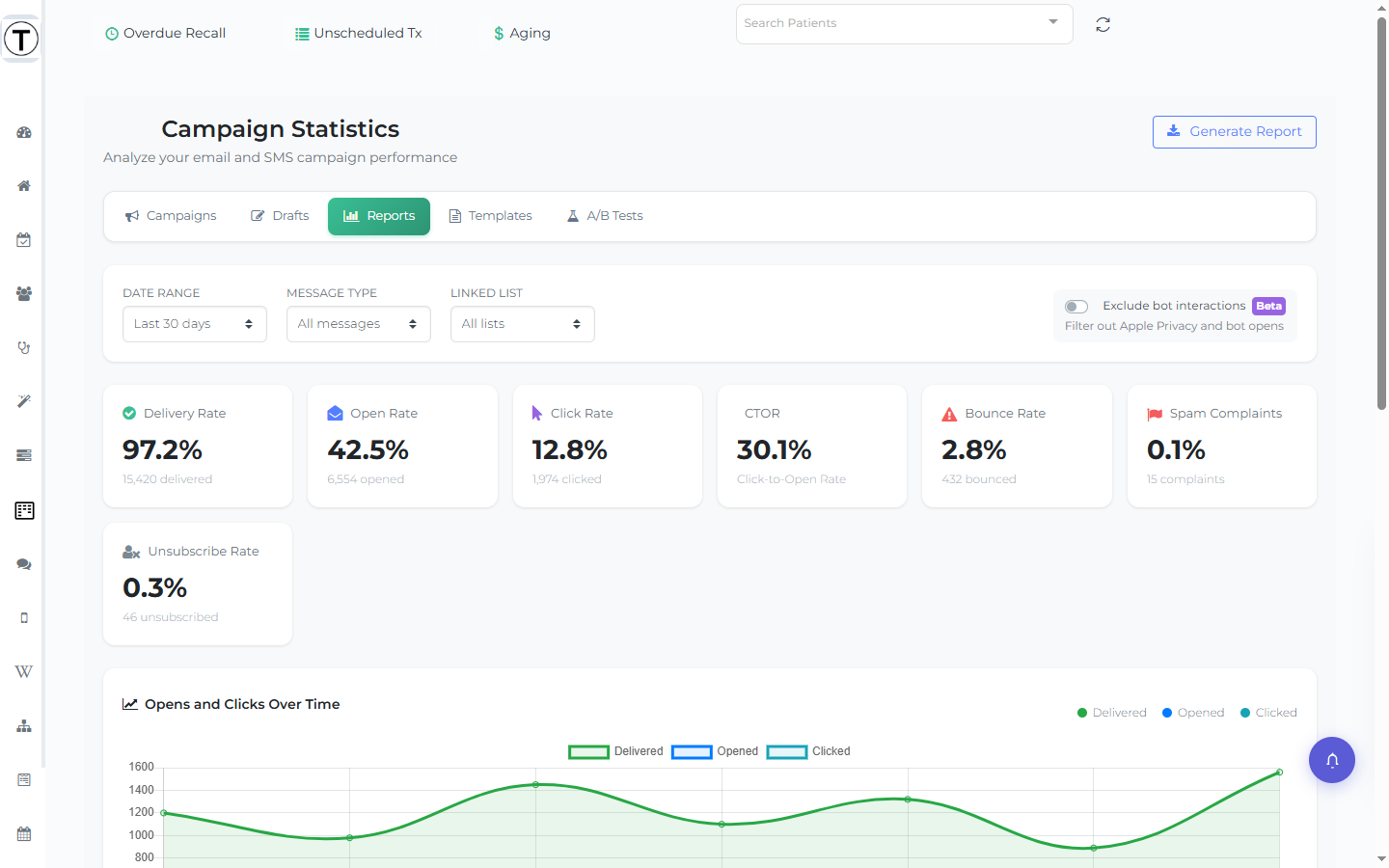
Section titled “Where to read results”- Site-wide trends: Campaigns > Reports aggregates every sent campaign in the date range you pick — the stat cards, channel cards, and Messages Sent table described below.
- One campaign’s results: from the Campaigns list, click a sent campaign (or its View Details menu item) — or use a row’s View Details / Full Report action on the Reports page — to open its detail page: metric cards, per-recipient delivery status, message content, an activity log, and opens-and-clicks with link performance.
The metrics
Section titled “The metrics”| Metric | What it tells you | Act when… |
|---|---|---|
| Delivery Rate | messages that reached inboxes / phones | low → bad contact data; clean up emails and mobile numbers |
| Open Rate (email) | who opened — your subject line’s score | low → A/B test subject lines |
| Click Rate | who tapped your link — the content’s score | low clicks despite opens → weak call to action |
| CTOR | clicks among openers — content quality isolated from the subject line | |
| Bounce Rate | addresses that rejected the message | rising → clean up patient emails |
The Reports page
Section titled “The Reports page”Reports (Campaigns > Reports) filters by Date Range and Message Type (All / Email / SMS), then shows:
- Stat cards for the metrics above, totaled across every campaign in the range.
- Performance by Channel — a card per channel (SMS, Email, AI Call) with sent, delivered, and failed counts, plus delivery — and open and click rates where the channel supports them. The SMS card also shows the credits used; a channel your practice hasn’t turned on shows a Contact to Enable card instead of stats.
- Top Email Domains — which patient email providers you’re reaching most.
- A Messages Sent table, one row per sent campaign, with its channel, delivered count, open/click/bounce rates, and a Credits column — a credit count for SMS campaigns, Included for email. Search and sort the table, and click a row (or its menu’s View Details / Full Report) to open that campaign’s detail page.
- A Generate Report button (top right) that exports a summary (PDF / Excel / CSV, with a file name and “Include in Report” checkboxes).
One number to be skeptical of
Section titled “One number to be skeptical of”Email open rates are inflated by privacy features (like Apple Mail Privacy Protection) and bots that “open” messages automatically. Judge campaigns by clicks and bookings, not opens alone — the detail page’s Opens & Clicks tab and link-performance table show what patients actually tapped.