
Collecting a deposit or payment
The strongest moment to collect is right after the patient signs. Treatment Presenter’s collect panel unlocks the instant the plan is signed, with every method your front desk uses.
Where: below the signature in Present Mode (chairside) and on the patient’s signed plan.
The collect methods
Section titled “The collect methods”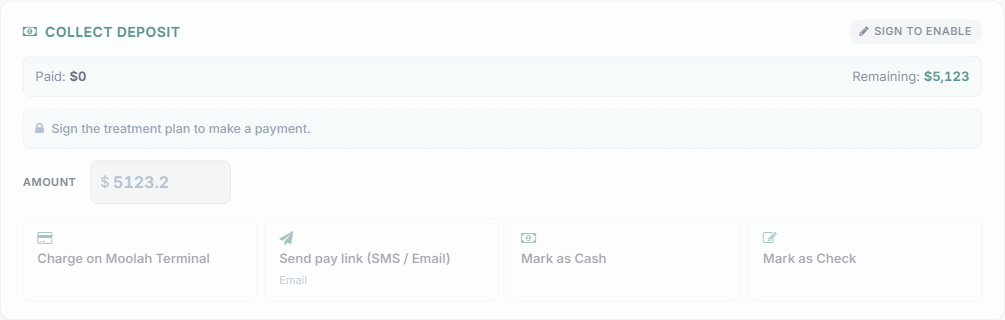
- Charge on Moolah Terminal — run the card on your in-office terminal.
- Send pay link (SMS / Email) — text or email the patient a secure pay link; the panel watches for the payment to land.
- Mark as Cash — record a cash payment.
- Mark as Check — record a check, with an optional check number.
- Mark as Financed via {Option} — for third-party financing options, record that the patient is financing (the label shows the option name, e.g. “Mark as Financed via No Down Payment”).
- Skip for now — move on without collecting; you can come back to it.
Once a payment is recorded, the panel shows the amount, method, and reference. Tap Collect another payment to take more toward the balance — you can collect any amount, as many times as needed, until the plan is Paid in full.
Where it lands in Open Dental
Section titled “Where it lands in Open Dental”Payments post to Open Dental as prepayments using the payment type you’ve configured for each method in Settings → Payment Options. Need to confirm a payment reached Open Dental? See Payments and Open Dental.