
Text message alerts
A patient text that’s been sitting too long shows up in the Action Center, so nobody has to keep checking SMS Conversations.
Unread SMS and Unanswered SMS
Section titled “Unread SMS and Unanswered SMS”There are two text alerts, depending on how long the patient has been waiting:
| Card | When it appears |
|---|---|
| Unread SMS (orange) | The patient’s text is 15 to 30 minutes old and nobody has opened the conversation yet |
| Unanswered SMS (red) | The patient’s text is 30 minutes old or more and nobody has replied, even if someone has read it |
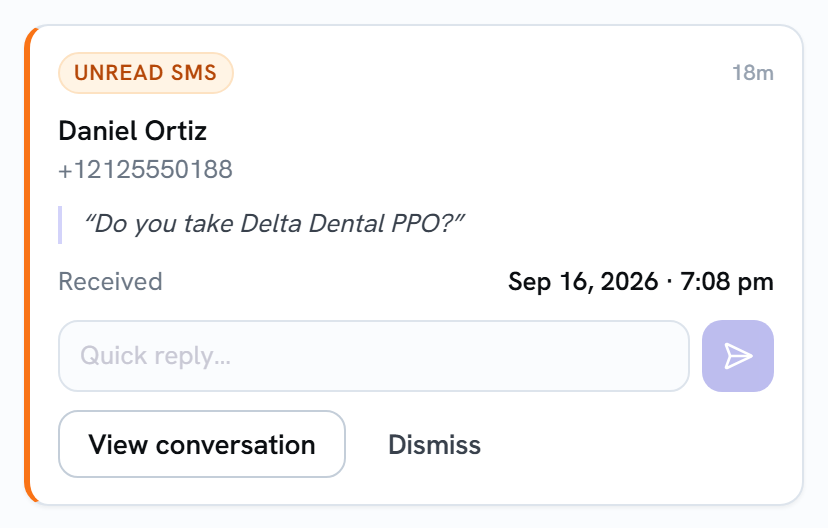
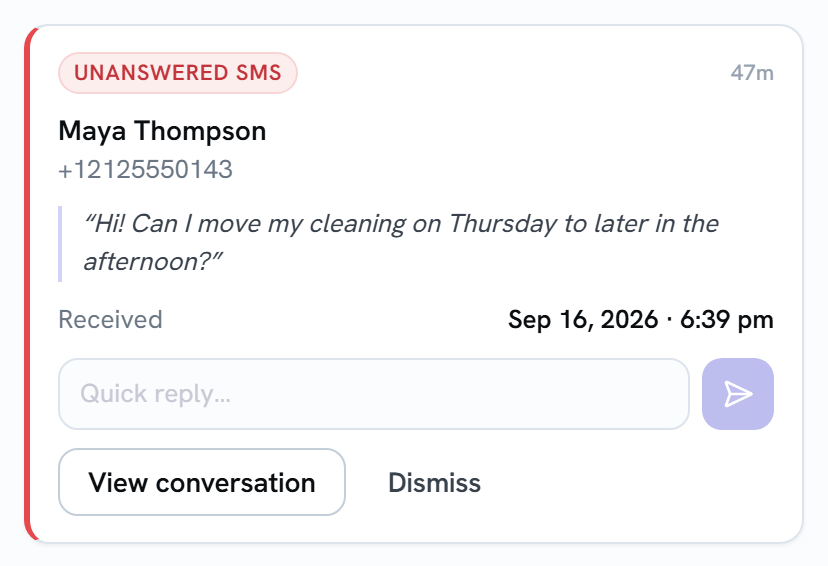
Each card shows the patient’s name and phone number, their latest message, and when it arrived.
When you won’t get a text alert
Section titled “When you won’t get a text alert”- Less than 15 minutes have passed. Give the team a moment to answer first.
- The text is more than 7 days old. An old unanswered text is history, not a to-do, so it drops off the list.
- The patient just confirmed an appointment. A reply that’s only a confirmation word (
c,ok,k,yes,y,thank,thanks,confirm,confirmedorsi) is handled by appointment reminders. If your office changed Keywords to confirm appts in the Appointment Reminder settings, your words are used instead. The whole message has to be the word; “Yes, but can I come at 3?” still alerts. - The conversation is closed.
- Someone already replied. The card is only for texts where the patient had the last word.
Answering from the card
Section titled “Answering from the card”- Type your answer in Quick reply….
- Select the send arrow. The text goes to the patient just as if you’d sent it from SMS Conversations.
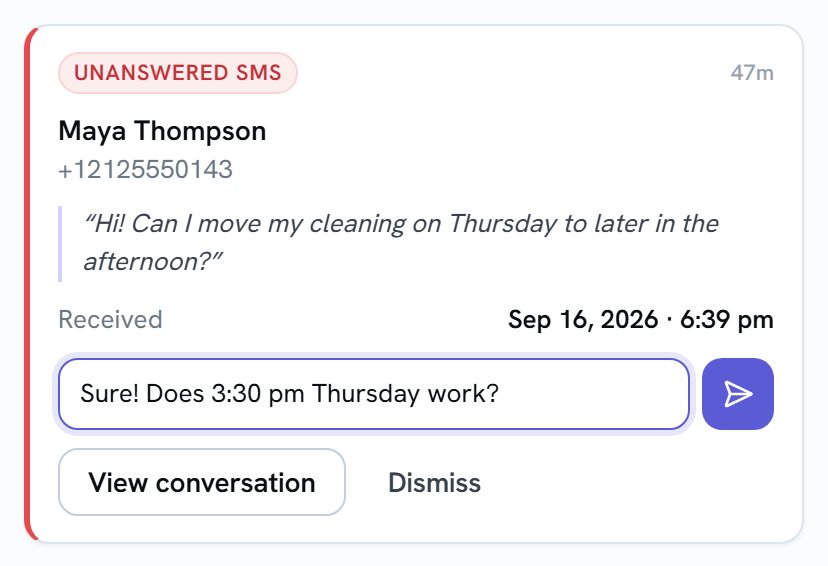
Once a reply goes out, the card disappears for everyone at the practice, whatever your office’s clearing setting. If the text can’t be sent (for example, the patient has texted STOP or the number can’t receive texts), you’ll see a message saying why, and your draft stays in the box.
Opening the whole conversation
Section titled “Opening the whole conversation”Select View conversation to open that exact thread in SMS Conversations, even an older one that isn’t near the top of the list.
Dismissing a text alert
Section titled “Dismissing a text alert”Select Dismiss if the text doesn’t need an answer. If the patient texts again later, the card comes back. See Clearing alerts for whether a dismiss clears it for everyone or just for you.