
Packet alerts
A packet can hold seven forms or more. Instead of seven separate cards, the Action Center gives the whole packet one card that updates as the patient goes.
While the patient is working through it
Section titled “While the patient is working through it”The card appears as soon as the patient submits the first form, labeled Packet in progress.
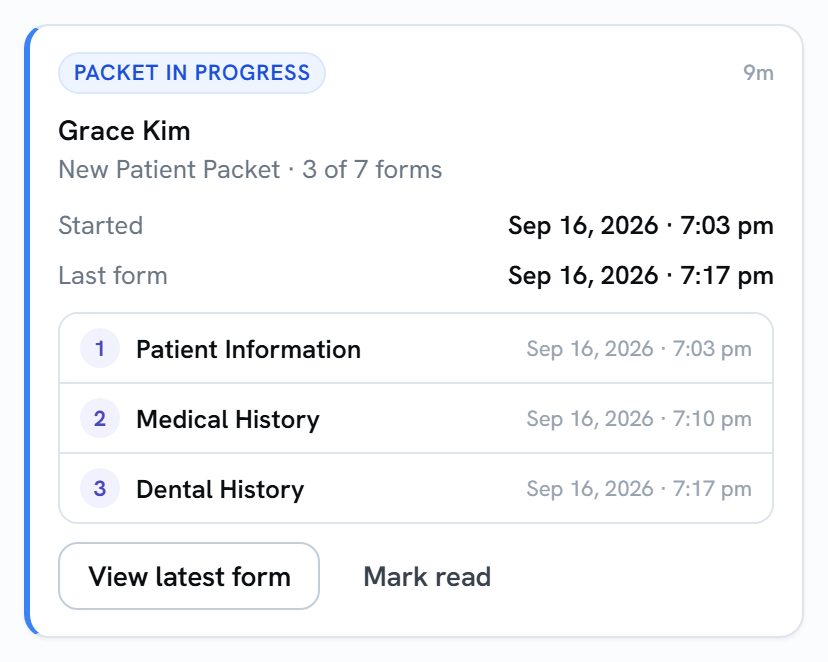
- New Patient Packet · 3 of 7 forms: the packet’s name and how far the patient has got.
- Started and Last form: when the patient submitted the first form and the latest one.
- A numbered row for each form they’ve sent so far, with its time. Select a row to open that form’s submission.
- View latest form opens the most recent one.
Each new form updates the same card and moves it back to the top of the list.
When the patient finishes
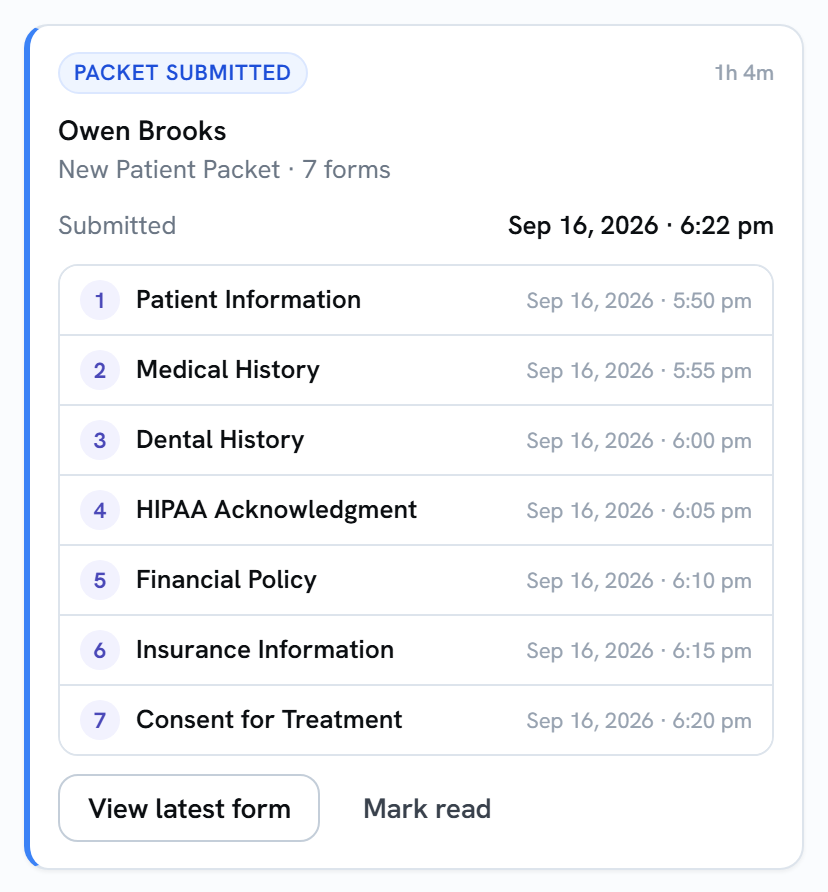
Section titled “When the patient finishes”When the last form comes in, the card changes to Packet submitted and lists every form.
If the patient stops and comes back later
Section titled “If the patient stops and comes back later”It depends on how the packet was sent:
- A link sent to a specific patient (for example, from their profile): when they pick up where they left off, even days later, the same card updates. Forms they already submitted stay listed.
- A general packet link that isn’t tied to a patient (for example, on your website or a QR code): each time someone opens the link starts its own card, because Teamio can’t tell who’s who until the forms come in.
After a packet is finished, a patient who fills it out again gets a new card.
Clearing a packet card
Section titled “Clearing a packet card”Select Mark read when you’ve looked it over. See Clearing alerts for whether that clears it for everyone or just for you.