
Choosing recipients
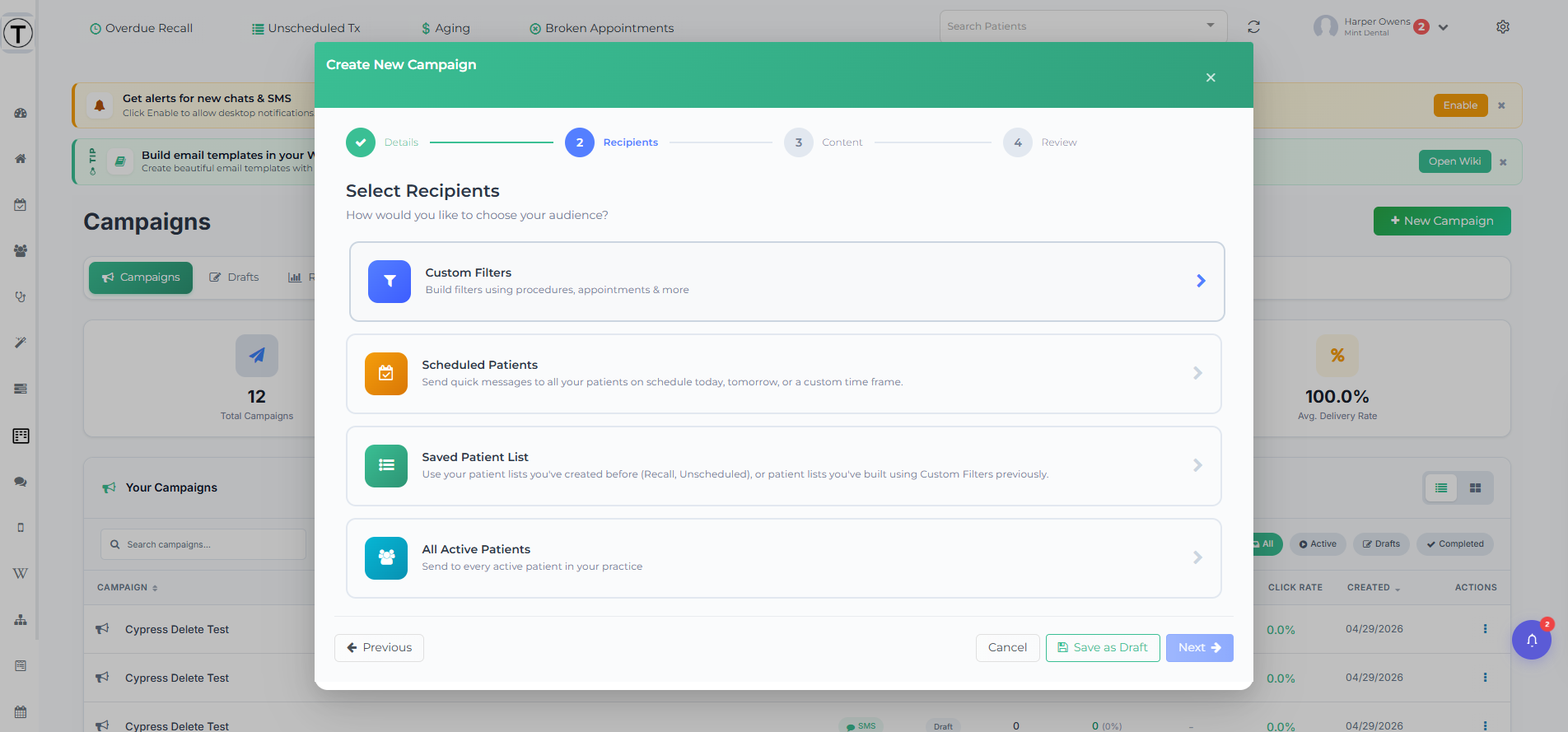
The recipient step makes or breaks a campaign — the same message lands completely differently on the right and wrong audience. This is Step 2 of the New Campaign wizard.
The four methods
Section titled “The four methods”The step opens with four method cards, in this order: Custom Filters, Scheduled Patients, Saved Patient List, and All Active Patients. After you pick one, a Change audience method link takes you back to the cards.
Custom Filters
Section titled “Custom Filters”The most precise option — build your audience from criteria. Select + Add Filter to choose from five filter types:
- Procedure Filter — patients by procedure code and status (e.g. a crown in the last year).
- Appointment Filter — by appointment timing or absence (e.g. no appointment in 18 months).
- Insurance Filter — by carrier, employer, or group number.
- Recall Due — patients whose recall is due.
- Patient Demographic — by age, gender, or zip code.
How groups work. Filters inside one group must all match — the card reads Match patients who meet ALL of the following, with AND pills between cards. Select Add OR Group to add a second group; an OR pill connects the groups, so a patient qualifies if they match any group. Active filters show as summary chips.
Insurance wildcard bulk-select. In the Insurance filter, type a prefix with * — for example Cigna* — or select the teal Select all N matching pill to grab every carrier, employer, or group number starting with that prefix at once.
When the filters are set, select Preview Results to see the audience (see Previewing below). A Criteria Summary box then recaps exactly what you built.
Scheduled Patients
Section titled “Scheduled Patients”Everyone on the schedule for a timeframe — good for logistics like weather closures, “running behind today”, or pre-visit instructions. A Quick Select button group offers Today, Tomorrow, This Week, Next Week, This Month, Next Month, and Custom, plus a Provider(s) multiselect to narrow by provider. Select Preview Patients to load the list.
Saved Patient List
Section titled “Saved Patient List”Reuse a list you already have — the recipients of a past campaign, your Overdue Recall Lists, or your Unscheduled Tx Lists. This is the bridge between your daily work lists and outreach. It has its own article: Saving and reusing patient lists.
All Active Patients
Section titled “All Active Patients”For genuinely universal news (new location, holiday hours). “Active” means a patient with at least one completed procedure in the last 18 months. You can adjust the window — In the last N days / months / years, or a Custom range — and Teamio always excludes procedure codes D9986 and D9987. An optional Provider(s) multiselect and an excluded procedure codes multiselect refine it further. Select Preview Patients before continuing.
Use this method sparingly: over-messaging drives opt-outs you don’t get back.
Previewing the audience
Section titled “Previewing the audience”Every method ends in a preview before you can continue:
- An N Recipients card shows the total, with counts of valid mobile numbers and valid emails so you know how many can actually be reached on each channel.
- A searchable patient table lists Name, Cell, and Email, with Missing badges where contact info is absent.
- A warning calls out gaps — for example, “N patients have no mobile phone number and will not receive SMS messages.” Fixing contact info in Open Dental requires re-previewing to take effect.
From the preview you can:
- Save List — save this audience as a reusable list without sending. It then appears under Saved Patient List and in Drafts with a list status. See Saving and reusing patient lists.
- Remove Patients — enter removal mode, check patients to drop, and select Remove (a confirmation modal appears). If you re-preview after removing, a Previous Removals Found prompt asks whether to Keep Removals or Start Fresh.
- Smaller, sharper audiences win. A precise 80-patient list usually beats a 2,000-patient blast in actual bookings.
- Past-campaign recipients are handy for sequels — “everyone who got the May offer” can get the follow-up.
- Re-using a stale saved list? Skim the preview first — people schedule, transfer, and opt out between campaigns.