
Payments overview
Teamio Payments lets you collect a patient’s balance without chasing them — send a secure pay link by text or email, or charge a card on the in-office terminal at the front desk. Every payment posts back to the patient’s Open Dental ledger.
What you can do
- Collect a payment by sending the patient a secure pay link by text or email, or by charging a card on the in-office terminal.
- Clean up balances straight from Aging by sending pay links in a few clicks.
The pieces — and when to use which
- Collect Payment — the green button on the patient profile. Your starting point for taking money any way. Opens a chooser with four methods.
- Text-to-Pay (the Send SMS / Send Email / SMS + Email methods) — best for a balance after the patient has left, or for Aging cleanup. The patient pays from their own device. → Text-to-pay
- Terminal (Charge on Terminal) — best when the patient is standing at the desk with a card in hand. → Terminal payments
The Collect Payment chooser
Section titled “The Collect Payment chooser”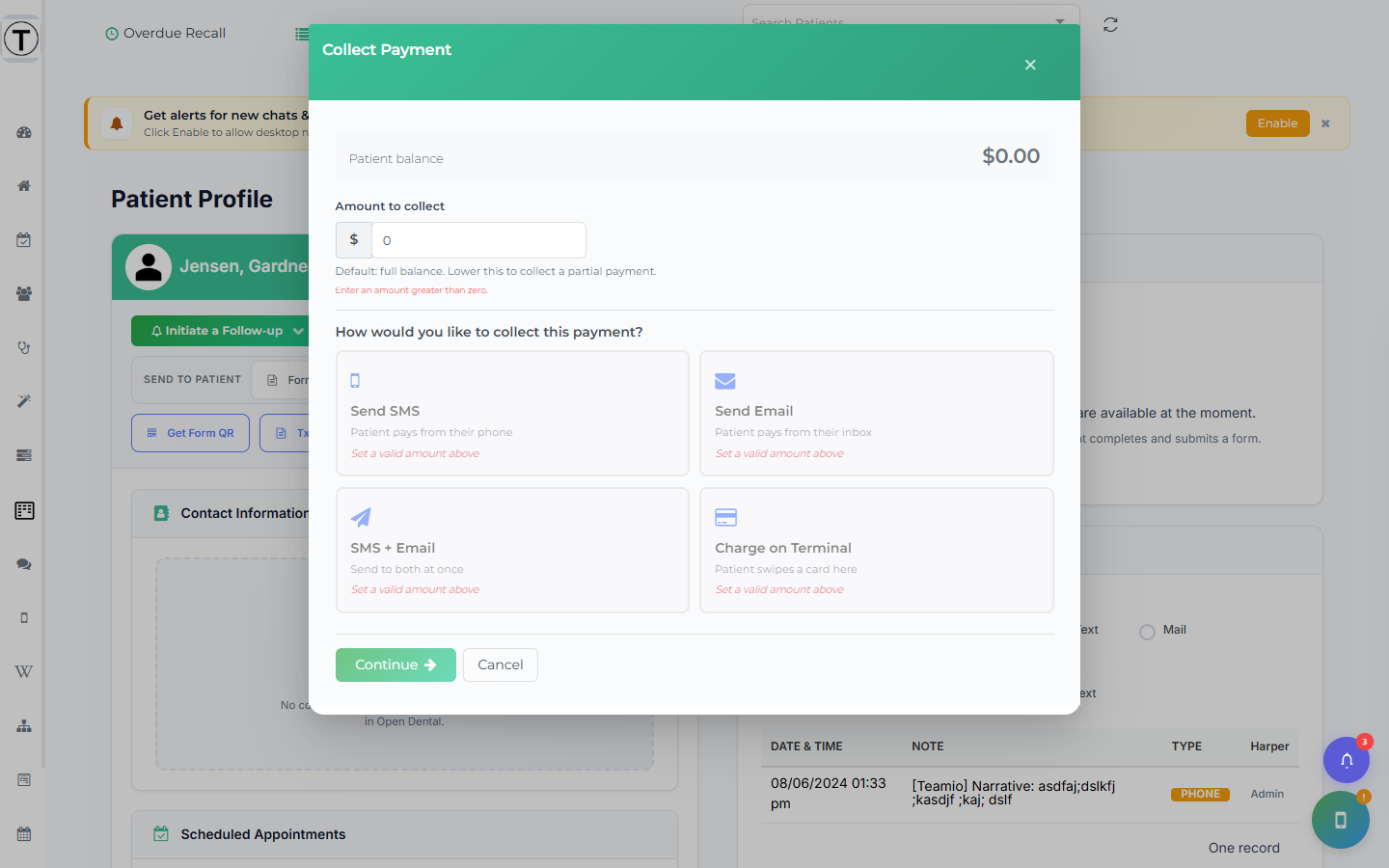
The modal opens on the patient profile. It shows the Patient balance, an editable Amount to collect (pre-filled with the full balance), and the four method cards under the heading “How would you like to collect this payment?” Methods that aren’t available for your site or this patient appear disabled with a short reason.
Common jobs
Section titled “Common jobs”- Set up payment collection — the one-time setup before you can take payments
- Collect a payment — choosing the right method
- Take a terminal payment
- Send text-to-pay
- Check payments reached Open Dental
- Run the Payment Report — close out the day and export it
- Present a treatment plan & take a deposit — the Treatment Presenter section