
Meet the Action Center
The round bell button in the bottom-right corner of Teamio is your Action Center: a live list of things that need a person. A red number on the bell shows how many are waiting, and new alerts appear the moment something happens.
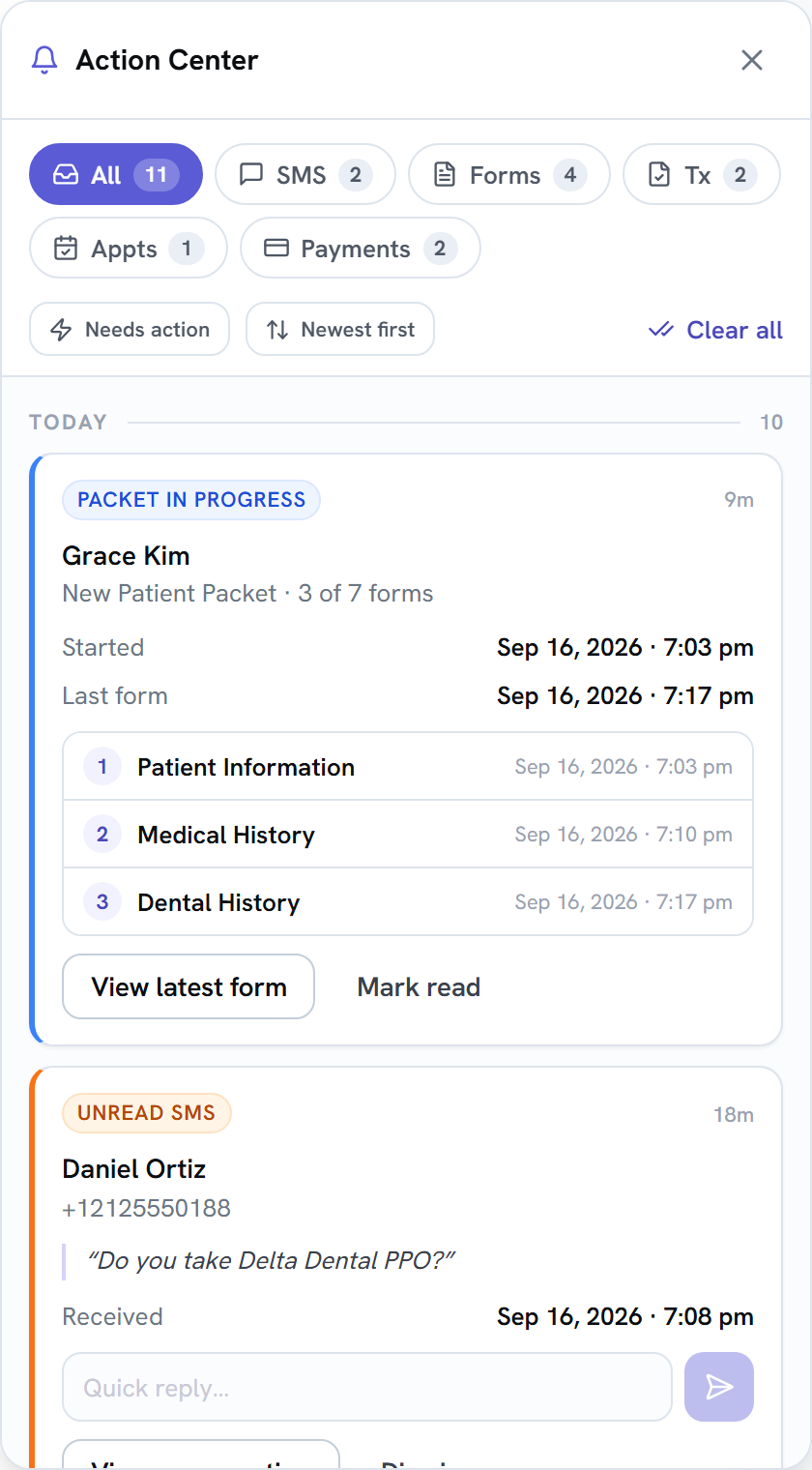
You’ll get a card when:
- a patient’s text has waited 15 minutes unread, or 30 minutes without a reply,
- a patient submits a form or works through a packet,
- a patient signs a treatment plan or asks a question on one,
- a patient books online,
- a patient’s payment through a link goes through or fails.
Most cards let you act right there: reply to a text or a plan question, open the form or plan, or send a new payment link. Clear a card with Dismiss or Mark read.
Learn more
Section titled “Learn more”The Action Center section covers every alert type, how clearing works, and the rules behind each one: