
Recipe: new-patient welcome
First impressions start before the visit. This recipe welcomes new patients the moment they’re scheduled and gets forms done ahead of time.
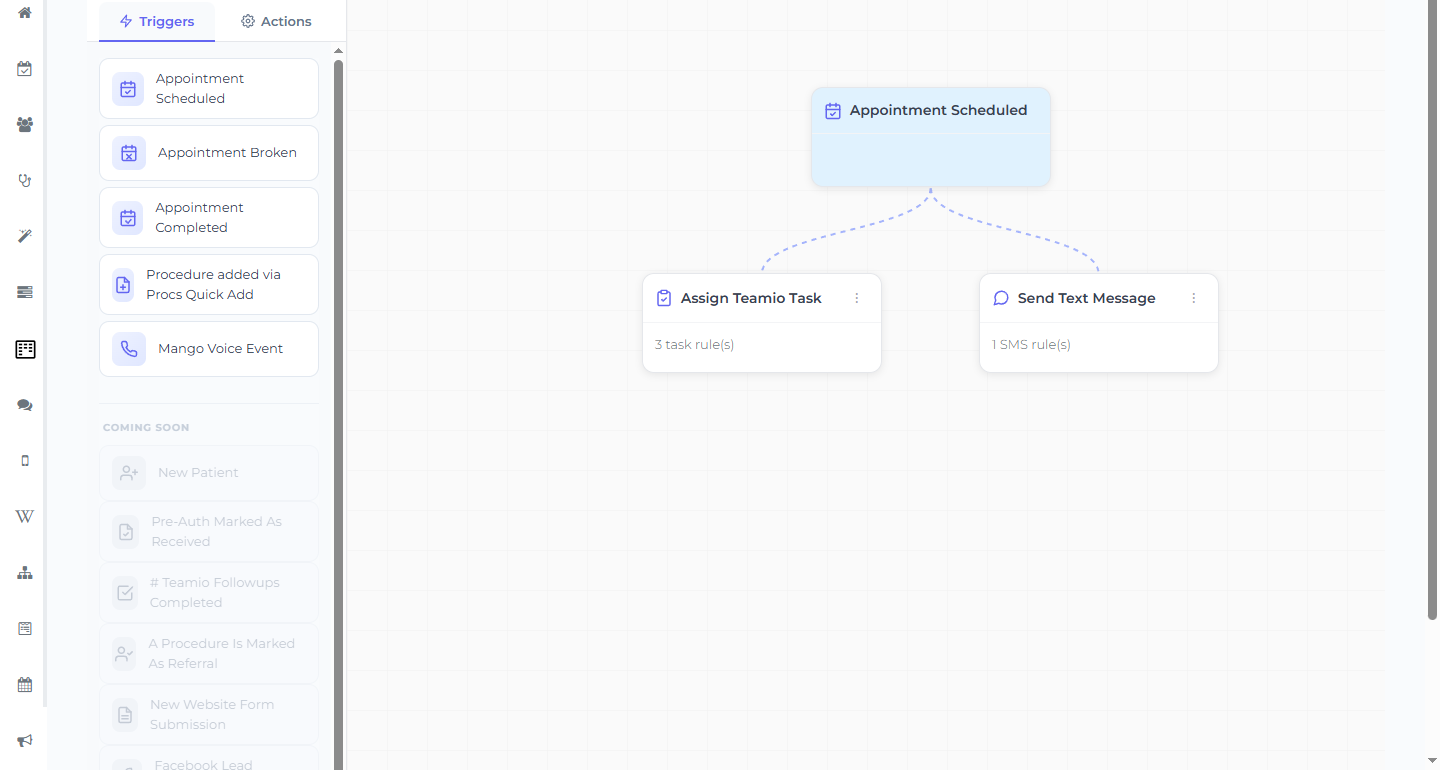
The workflow
Section titled “The workflow”- Trigger: Appointment Scheduled
- Action: Send Text Message
- For New Patients Only: in the Send Text Message panel (which only appears on this trigger), choose For All New Patients (regardless of procedure) — this is the key setting. It isn’t an on/off toggle; it’s a radio choice. Then pick your Template (and optionally restrict Provider(s)).
- Send When: Immediately
The new-patient Template picker lists only Wiki pages tagged as SMS templates — so the welcome wording and the form link both live in that template, not as free text in the workflow.
The welcome message (in a Wiki SMS template)
Section titled “The welcome message (in a Wiki SMS template)”A friendly example to adapt:
Welcome to [Practice Name]! We’re looking forward to seeing you. To save time at your visit, please complete your new-patient forms here: [form link]
Getting the form link
Section titled “Getting the form link”Generate your New Patient Packet link via Forms → Get Form Link (see Sharing a form with a patient) and paste it inside the Wiki template.
Restrict by provider (optional)
Section titled “Restrict by provider (optional)”The Provider(s) field defaults to Any Provider (leave it empty). Set specific providers if only some of them see new patients.
Optional additions (same workflow)
Section titled “Optional additions (same workflow)”Add these as parallel actions on the same Appointment Scheduled workflow — not as new workflows:
- Send Email (also set to new patients only) with the longer welcome: directions, parking, what to bring.
- Assign Teamio Task to the front desk to verify insurance before the visit.